
You know how it goes: you plug your destination into Google Maps or Waze, it spits out “3 hours, 15 minutes,” and you think, “Great!” Then, somehow, it takes you closer to four and a half hours. Sound familiar?
Figuring out realistic driving times is one of the trickiest parts of road trip planning, but getting it mostly right makes everything smoother. Let’s break down how those estimates work and, more importantly, how to adjust them for the real world.
1. Your Go-To Tools: Online Maps & GPS (The Usual Suspects)
Most of us rely on apps like Google Maps, Apple Maps, Waze, or similar services on our phones. There are also dedicated GPS devices (like Garmin or TomTom) that many people use. Here’s the basic idea:
How They Work (Simply Put): These tools use real-time satellite info, traffic reports, and data about road closures or construction to figure out the best route right now. They’re calculating based on actual roads – twists, turns, and all – not just a straight line on the map.

What They Give You: They’ll show you the distance, an estimated travel time (often adjusted for current traffic), and usually offer alternate routes. You can often add multiple stops to plan out a full day’s drive.
Are Dedicated GPS Units Better? Sometimes. They might have longer battery life or hold a signal better in really remote areas compared to a phone. But for most trips, your phone app does a very similar job.
The Bottom Line: These tools are fantastic starting points. They give you a baseline estimate using pretty smart technology. But – and it’s a big but – they aren’t crystal balls.
2. Why the Estimate Isn’t Always Reality
That initial time estimate? Think of it as the “best-case scenario” or based only on current conditions. Here’s what throws those numbers off:
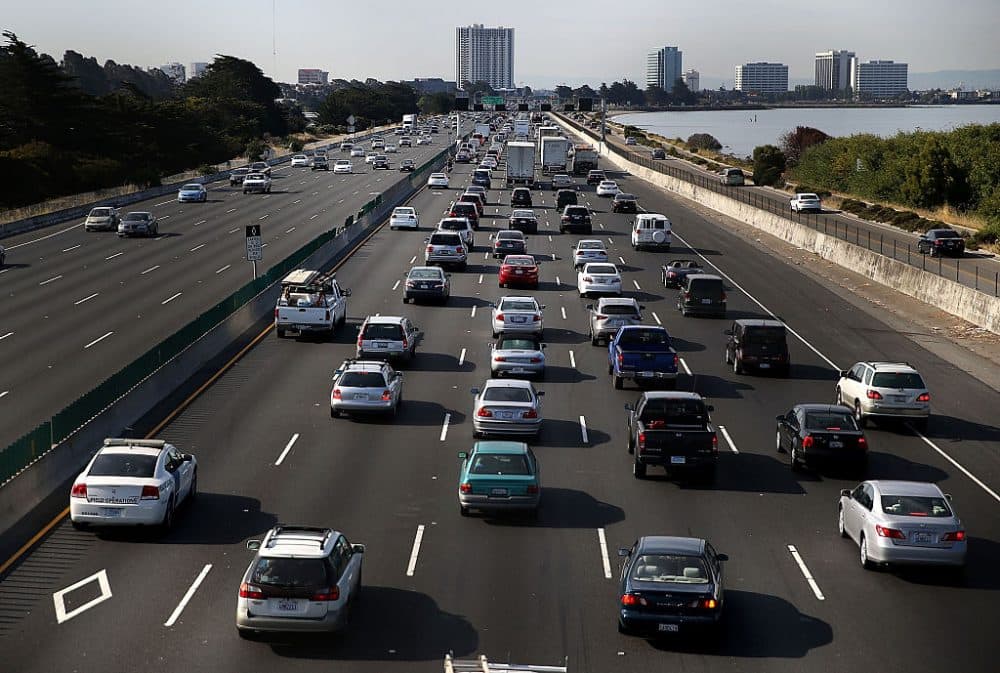
Traffic: This is the obvious one. An accident, rush hour near a city, or just general congestion can wreck an estimate. Maps try to account for current traffic, but they can’t perfectly predict what happens an hour down the road.
Type of Road (This is HUGE): This is where you need to apply some common sense.
- Interstate Highways: If the map says 120 miles on I-5, and the speed limit is 65-70 mph, you might think “under 2 hours.” Maybe. But realistically, factor in potential slowdowns, merging traffic, maybe a quick pit stop. Budgeting 2 hours 15 minutes or even 2.5 hours might be safer.
- Two-Lane Highways/Rural Roads: That same 120 miles on a state highway winding through small towns? Forget 2 hours. Speed limits are lower (maybe 55 mph, dropping to 30 mph in towns), you’ll hit stop signs, maybe get stuck behind a slow truck. That 120 miles could easily take 3 hours or more.
- Scenic Byways & Mountain Roads: Gorgeous, right? But slow. Lower speeds, sharp curves, looky-loos pulling over suddenly. Don’t expect to average anywhere near highway speeds. If a map estimates 1 hour for 30 miles on a twisty mountain pass, give yourself 1.5 hours, easily.
Construction: We’ve all been there. Sudden lane closures or detours that weren’t on the map when you checked this morning.
Weather: Rain, snow, fog, high winds – they all slow traffic down considerably. Add extra time if the forecast looks iffy.
Your Own Stops: Gas, bathroom breaks, stretching your legs, grabbing food, taking a photo – the map doesn’t know you plan to do these things unless you add them as specific stops. You absolutely need to add buffer time for your own necessary breaks. Even a quick gas-and-go stop adds 10-15 minutes.
3. Stuff You Probably Don’t Need
You might see mentions of other ways to calculate distance. Here’s a quick translation:
“As-the-Crow-Flies” (like the Haversine formula): This calculates the shortest distance between two points in a straight line, ignoring roads, mountains, etc. Useful for airplanes, totally useless for planning a drive. Ignore it.
Fancy APIs & GIS Software: These are powerful tools used for complex stuff like planning delivery routes for hundreds of stops or detailed city planning. Think logistics companies. Interesting, but massive overkill for planning your vacation road trip.
Conclusion: Aim for Realistic Estimates, Enjoy the Ride More
So, how do you get a better handle on timing?
- Use your map app (Google Maps, Waze, etc.) as your starting point. Check it close to your departure time for current traffic.
- Look closely at the type of roads on your route. Are they fast interstates or slower two-lane highways? Adjust your expectations accordingly using the examples above as a rough guide.
- Generously add buffer time. Factor in gas/food/rest stops, potential traffic, and maybe just time to enjoy an unexpected view. If the map says 4 hours, maybe mentally budget 4.5 or even 5, especially if it involves mixed road types or city driving.
Getting the timing exactly right is impossible, but aiming for a realistic estimate makes planning easier. You’ll feel less rushed, less stressed if you hit a delay, and more able to relax and enjoy the actual drive – which is the whole point, right?